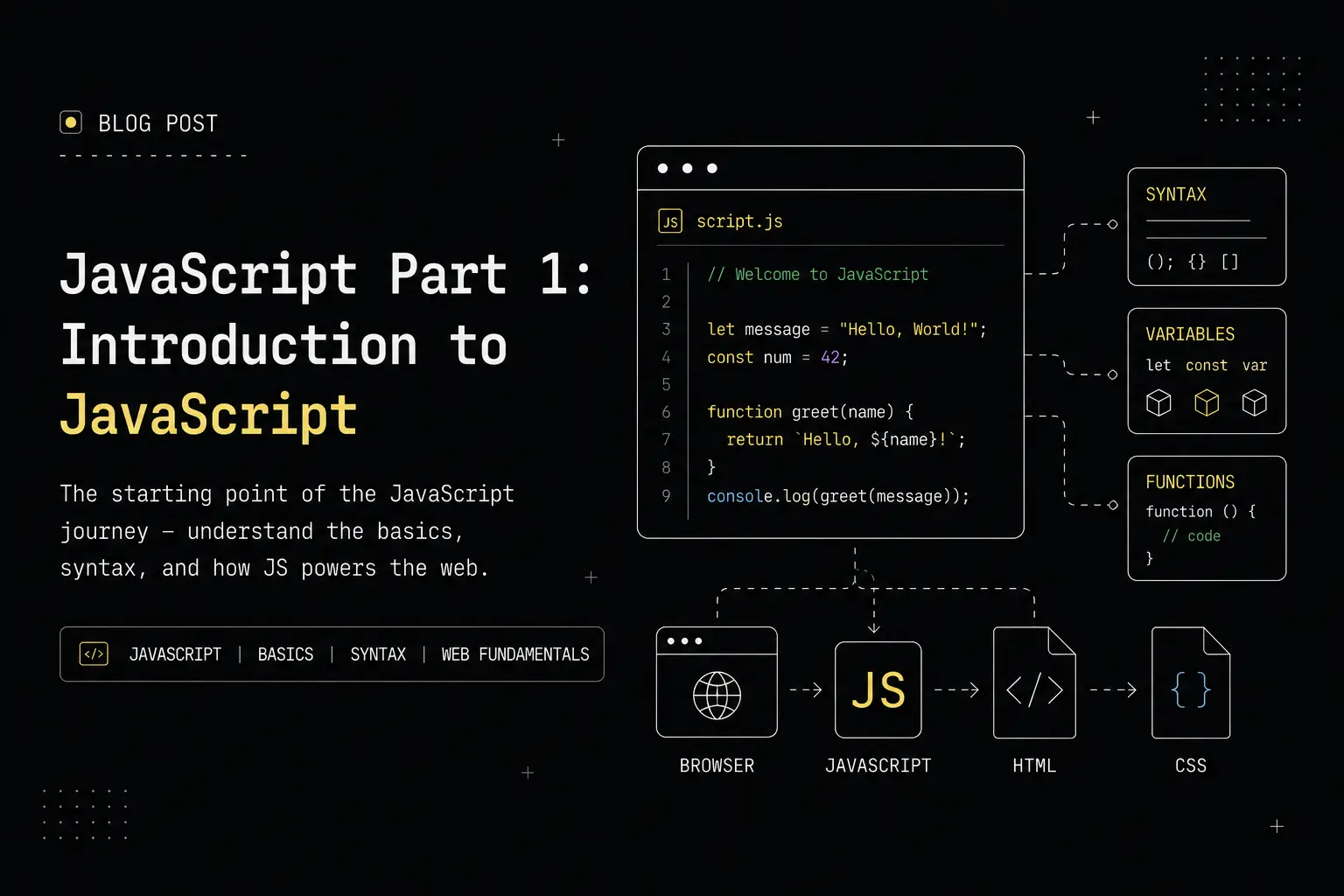
How I Learned JavaScript by Writing Code (Not Just Watching Tutorials)
This blog series documents how I actually learned JavaScript — not by only watching tutorials, but by writing code, making mistakes, and revising concepts repeatedly.
This is not just a tutorial. It is:
- Beginner-friendly learning notes
- A revision guide for my future self
- Code-first, but concept-driven
If you are:
- New to JavaScript
- Revising core concepts
- Learning web development seriously
This series is for you.
The complete series is divided into 5 parts.
In Part 1, we focus on JavaScript fundamentals that every beginner must understand before moving forward.
⚠️ This is a long, detailed post meant for learning and revision.
You don’t need to read it in one go — use the table of contents and revisit sections as needed.
All practice questions and code examples used in this series are available in a GitHub repository (link provided at the end).
Table of Contents
- What is JavaScript
- JavaScript Basics
- Variables (
var,let,const) - Scope in JavaScript
- Temporal Dead Zone (TDZ)
- Hoisting
- Data Types
- Copying Data Types
- Copying Non-Primitive Data Types
typeofOperator- Type Coercion
- Truthy & Falsy Values
- Operators
instanceofOperator- Conditional Statements
- Early Return Pattern
- Loops
breakandcontinue
What is JavaScript?
JavaScript is a programming language used to make web pages interactive and dynamic.
It allows developers to:
- Handle user interactions (clicks, inputs, events)
- Dynamically update content
- Validate data on the client side
- Build complete applications on both frontend and backend
Initially, JavaScript was designed to run only inside browsers.
With the introduction of Node.js, JavaScript can now also run on servers.
Notes
- JavaScript is one of the core technologies of the web
- Strong JavaScript fundamentals make learning frameworks much easier
- Most bugs in frameworks come from weak JavaScript basics
Basics of JavaScript
// This is single-line comment

/* this is
multi line comment */

// Used for printing in JavaScript
console.log("Hello , world");
Notes
- Use
//for single-line comments - Use
/* */for multi-line comments console.log()prints output to the browser console or terminal
Variables in JavaScript
A variable is used to store data values. In JavaScript, we can declare variables using three keywords: var, let, and const.
Variables can be declared and initialized as follows:
var a; // declaration
var a = 10; // declaration and initialization

// can be updated but can't be redeclared.
let b; // declaration
let b1 = 10; // declaration and initialization

const pi = 3.14; // constant variable can't be changed
Notes
varcan be redeclared and updated (avoid using it in modern code)letcan be updated but not redeclared in the same scopeconstcannot be updated or redeclared — use it for values that won't change- Always initialize
constat the time of declaration
Scope in JavaScript
Scope determines where variables are accessible in your code. There are three types of scope:
- Global Scope
- Function Scope
- Block Scope
// Global scope : this variable is in global scope so we can access it anywhere in this file
var globalVar = "this is a global variable";

// Block Scope:
{
  // this variable is in block scope so we can access it only inside this block
  // but var is not block scoped so if here we used Var then we can access it outside the block else
  let blockVar = "this is a block scoped variable";
}

// Functional Scope:
function funcScope() {
  // this variable is only accessible inside this function , if we use let or const here they will also be functional scoped because functions create their own scope.
  var funcVar = "this is a functional scoped variable";
  if (true) {
    // this can be used outside the if block but inside the function only.
    var funcVar2 = "this is also functional scoped variable";
  }
}
console.log(funcVar); // error: funcVar is not defined
Notes
- Global scope: Variables accessible everywhere in the file
- Function scope: Variables accessible only within the function (applies to
var,let,const) - Block scope: Variables accessible only within
{}blocks (letandconstonly) varis not block-scoped but is function-scoped- Use
letandconstto avoid scope-related bugs
Temporal Dead Zone
The Temporal Dead Zone (TDZ) is the time between when a variable is created and when it is initialized. During this period, accessing the variable throws an error.
This applies to let and const, not var.
console.log(a); // console knows that a is declared although it is declared after the console.log but it is in dead zone so it does not allow us to access it
let a = 10; // ReferenceError : Cannot access 'a' before initialization

let b;
console.log(b); // undefined because b is declared but not initialized
b = 12;
Notes
- TDZ exists for
letandconstto prevent usage before initialization - Variables in TDZ throw
ReferenceErrorif accessed early vardoes not have TDZ — it returnsundefinedinstead- Always declare and initialize variables at the top of their scope
- TDZ exists even though the variable is hoisted
Hoisting
Hoisting is JavaScript's behavior of moving declarations to the top of the current scope during compilation. However, only the declaration is hoisted, not the initialization.
console.log(b); // undefined because var b = undefined is hoisted so it does not give errors.
var b = 10;

// hoisting with let and const
console.log(c); // Hoisting happens in let and const but let and const does not allow to access the variable before its initialization so it gives error.
let c = 20;
Notes
vardeclarations are hoisted and initialized withundefinedletandconstdeclarations are hoisted but remain in the TDZ until initialization- Function declarations are fully hoisted (both declaration and definition)
- To avoid confusion, always declare variables at the beginning of their scope
Data Types in JavaScript
JavaScript has two main categories of data types:
1. Primitive Data Types:
- Number
- String
- Boolean
- Null
- Undefined
- Symbol
- BigInt
2. Non-Primitive Data Types (Reference Types):
- Object
- Array
- Function
let num = 42; // number, Safe value between -(2^53 - 1) and 2^53 - 1
let str = "Hello, world!"; // string
let bool = true; // boolean , values can be true or false only.
let n = null; // null, represents intentional absence of any object value
let undef = undefined; // undefined, variable that has not been assigned a value
let undef1; // also undefined, default value
let sym = Symbol("Symbolic"); // symbol, used to create unique identifiers
let bigIntNum = 1234567891234567890n; // bigint, for integers larger than 2^53 - 1

let obj = {
  name: "John",
  age: 30,
}; // object, collection of key-value pairs
let arr = [1, 2, 3, 4, 5]; // array, ordered collection of values
let func = function () {
  console.log("This is a function");
}; // function, block of code designed to perform a particular task
Notes
- Primitive types store the actual value directly
- Non-primitive types store references to memory locations
- Primitive types: immutable and compared by value
- Non-primitive types: mutable and compared by reference
- Use
typeofto check the type of a value
Copying Data Types
// Primitive data types
let a = 12;
let b = a;
a = 20;
console.log(a, b); // 20 12
// so if changing a does not change b because both are stored in different memory locations

// Non-primitive data types
let obj1 = { name: "alice", age: 24 };
let obj2 = obj1;
obj2.age = 30;
console.log(obj1, obj2); // { name: 'alice', age: 30 } { name: 'alice', age: 30 }
// so changing any property of obj2 also changes obj1 as both are pointing to the same memory location where the object is stored.
Notes
- Primitive types are copied by value — changing one doesn't affect the other
- Non-primitive types are copied by reference — both variables point to the same object
- To create independent copies of objects/arrays, use special copying methods
Copying Non-Primitive Data Types
To create an actual copy of non-primitive data types (objects and arrays) instead of just copying the reference, we can use the following methods:
// for Object:
let originalObj = { name: "Alice", age: 25 };
// Method 1 : using object.assign()
let copyObj1 = Object.assign({}, originalObj);
copyObj1.age = 30;
console.log(originalObj, copyObj1); // { name: 'Alice', age: 25 } { name: 'Alice', age: 30 }
// Method 2 : using spread operator
let copyObj2 = { ...originalObj };
copyObj2.name = "Bob";
console.log(originalObj, copyObj2); // { name: 'Alice', age: 25 } { name: 'Bob', age: 25 }
// For array:
let originalArr = [1, 2, 3, 4, 5];
// Method 1 : using slice()
let copyArr1 = originalArr.slice();
copyArr1.push(6);
console.log(originalArr, copyArr1); // [ 1, 2, 3, 4, 5 ] [ 1, 2, 3, 4, 5, 6 ]
// Method 2 : using spread operator
let copyArr2 = [...originalArr];
copyArr2.pop(); // removes last element
console.log(originalArr, copyArr2); // [ 1, 2, 3, 4, 5 ] [ 1, 2, 3, 4 ]
Notes
Object.assign()and spread operator{...obj}create shallow copies of objects.slice()and spread operator[...arr]create shallow copies of arrays- Shallow copies work for simple objects/arrays but don't handle nested structures
- For deep copying nested objects, use
JSON.parse(JSON.stringify(obj))or libraries like Lodash
typeof Operator
Dynamic typing: JavaScript has dynamic typing, meaning variables can hold values of any type and can change types at runtime.
The typeof operator is used to determine the type of a variable or expression. It returns a string indicating the type of the operand.
console.log(typeof 42); // "number"
console.log(typeof "hello"); // "string"
console.log(typeof true); // "boolean"
console.log(typeof undefined); // "undefined"
console.log(typeof 987456321789172839n); // "bigint"
console.log(typeof null); // "object" (this is a known quirk in javascript)
console.log(typeof Symbol("sym")); // "symbol"
console.log(typeof NaN); // "number" (NaN is considered a number in JS)
console.log(typeof {}); // "object"
console.log(typeof []); // "object" (arrays are objects in JS)
console.log(typeof function () {}); // "function" ,  functions have their own type
Notes
typeofreturns a string representing the operand's type- Common quirks:
typeof nullreturns"object"(historical bug),typeof []returns"object" - Use
Array.isArray()to check if something is an array - Use
instanceofto check object types more precisely
Type Coercion
Type coercion is the automatic or implicit conversion of values from one data type to another (such as strings to numbers). JavaScript performs type coercion in certain situations, particularly during arithmetic operations or comparisons.
// == only checks for value equality, allowing type coercion
console.log("5" == 5); // true, string '5' is coerced to number 5
// Examples of type coercion with ==
console.log(null == undefined); // true, both are considered equal in value
console.log(0 == false); // true, false is coerced to 0
console.log("" == 0); // true, empty string is coerced to 0
console.log(" " == 0); // true, string with space is coerced to 0

console.log("1" + 1); // "11" , number converted to string, + operator has two use: addition and concatenation so string takes precedence
console.log("1" - 1); // 0, string converted to number, - operator only does subtraction so number conversion happens
console.log(true + 1); // 2
console.log(null - 1); // -1
console.log(undefined + 1); // NaN
// === checks for both value and type equality, no type coercion
console.log("5" === 5); // false, different types (string vs number)
// for more predictable results, it's recommended to use === for comparisons
Notes
==performs loose equality — allows type coercion===performs strict equality — checks both value and type- Always prefer
===to avoid unexpected coercion bugs - String + Number = String concatenation
- String - Number = Number subtraction (string converted to number)
Truthy and Falsy Values
In JavaScript, values can be classified as "truthy" or "falsy" based on how they evaluate in a boolean context (such as in conditional statements).
// Truthy values: non-empty strings, non-zero numbers, objects, arrays,  functions,  true, BigInt(non-zero), symbols
if ("hello") {
  console.log("true");
} // logs

// Falsy values: false, 0, -0, 0n(bigint zero), "", null, undefined, NaN
if (0) {
  console.log("true");
} // never logs

// for checking truthy/falsy values
console.log(Boolean([])); // true
Notes
- Falsy values (only 8):
false,0,-0,0n,"",null,undefined,NaN - Everything else is truthy, including:
"0","false",[],{}, functions - Use
Boolean()to explicitly convert a value to its boolean equivalent - Understanding truthy/falsy is crucial for conditionals and logical operations
Operators in JavaScript
Operators are special symbols that perform operations on operands (values and variables). JavaScript has several types of operators:
- Arithmetic Operators:
+,-,*,/,%,**let a = 10; let b = 5; console.log(a + b); // addition : 15 console.log(a - b); // subtraction : 5 console.log(a * b); // multiplication : 50 console.log(a / b); // division : 2 console.log(a % b); // modulus : 0 console.log(a ** b); // exponentiation : 100000 - Assignment Operators:
=,+=,-=,*=,/=,%=let c = 20; // assignment operator c += 5; // c = c + 5 c -= 3; // c = c - 3 c *= 2; // c = c * 2 c /= 4; // c = c / 4 c %= 3; // c = c % 3 - Comparison Operators: ==, ===, !=, !==, >, <, >=, <=
console.log("5" == 5); // true, equal to : loose equality console.log("5" === 5); // false, equal value and type : strict equality console.log(10 != 5); // true, not equal to (loose) console.log(10 !== "10"); // true, not equal value or type (strict) // < for less than compare , > for greater than compare , <= for less than or equal to, >= for greater than or equal to - Logical Operators:
&&,||,!// && (AND) both conditions must be true // || (OR) at least one condition must be true // ! (NOT) negates the condition let age = 20, hasID = true; if (age >= 18 && hasID) { console.log("Allowed"); // Allowed } - Unary Operators:
+,-,++,--,typeof,!!// + (plus) : converts a variable to a number // - (minus) : converts a variable to a number and negates it(negative value) // ++ : increments a variable by 1 // -- : decrements a variable by 1 // typeof : returns the type of a variable // !! : converts a variable to a boolean and gives its truthy/falsy value let x = "5"; console.log(+x); // 5 (converted to number) - Ternary Operator:
? :// Ternary Operator : short-hand for if-else statement , syntax : condition ? exprIfTrue : exprIfFalse // this is useful for simple conditions not for complex logics. let age1 = 17; let isAdult = age1 >= 18 ? "yes" : "no"; console.log(isAdult); // no - Nullish coalescing Operator:
??// Nullish coalescing operator(??): returns the right-hand operand when the left-hand operand is not defined or is null, otherwise returns the left-hand operand let user; let username = user ?? "Guest"; console.log(username); // Guest
Notes
- Arithmetic operators: perform mathematical operations
- Comparison operators: compare values and return boolean results
- Logical operators: combine or invert boolean expressions
- Assignment operators: assign values to variables with optional operations
- Use
===for strict comparison,==for loose comparison (avoid==) - Ternary operator is useful for simple conditional assignments
- Nullish coalescing
??only checks fornullandundefined, unlike||which checks for all falsy values
instanceof Operator
The instanceof operator checks whether an object is an instance of a specific class or constructor function. It returns true if the object is an instance of the specified type, otherwise false.
let obj = {};
console.log(obj instanceof Object); // true
// obj is created from Object constructor, so it returns true.

let arr = [];
console.log(arr instanceof Array); // true
// arr is created from Array constructor, so it returns true.
console.log(arr instanceof Object); // true
Note: Arrays are a subclass of Object, so arr instanceof Object also returns true.
Notes
instanceofchecks if an object belongs to a specific constructor's prototype chain- Useful for validating object types before performing operations
- Arrays are objects, so they return
truefor bothArrayandObject - Does not work with primitive values (use
typeoffor primitives)
Conditional Statements in JavaScript
Conditional statements allow you to perform different actions based on different conditions. JavaScript provides several ways to implement conditional logic: if, else if, else, and switch statements.
if-else Statement
The if statement executes a block of code if the condition evaluates to true (or any truthy value). Otherwise, the else block is executed.
if (12 > 10) {
  console.log("this is if block statement");
} else {
  console.log("this is else block statement");
}
// in this case 12 is greater than 10 so the condition returns true and the block of if statement will be executed and the output will be "this is if block statement".
else if Statement
Use else if to check multiple conditions sequentially. JavaScript checks each condition in order and executes the first block whose condition is true.
if (loggedIn && isAdmin) {
  console.log("you are logged in as admin");
} else if (loggedIn) {
  console.log("you are logged in as user");
} else {
  console.log("you are not logged in");
}
Note: You can have only one if and one else, but multiple else if statements in a single conditional block.
switch Statement
The switch statement performs different actions based on different values of a single variable. It's a cleaner alternative to multiple if-else statements when comparing one variable against many values.
let value = 2;

switch (value) {
  case 1:
    console.log("value is 1");
    break;
  case 2:
    console.log("value is 2");
    break;
  case 3:
    console.log("value is 3");
    break;
  default:
    console.log("value is not 1, 2 or 3");
}
// in this example the value is 2, so the output will be "value is 2".
Note: Always use break after each case to prevent fall-through. Without break, execution continues to the next case even if it doesn't match.
Notes
- Use
if-elsefor simple true/false conditions or range checks - Use
switchwhen comparing one variable against multiple specific values - Always include
breakstatements inswitchcases (unless fall-through is intended) - The
defaultcase inswitchis optional but recommended as a fallback - Conditions can use any truthy/falsy value, not just booleans
Early Return Pattern
The early return pattern is a technique that simplifies code and reduces nesting by returning from a function as soon as a condition is met. This avoids deep nesting of conditional statements and improves readability.
However, condition order is critical. You must structure conditions from most restrictive to least restrictive (highest to lowest values) to ensure the logic works correctly.
Correct Example ✅
// Correct: Check from highest to lowest (most restrictive first)
function getGrade(score) {
  if (score >= 90) return "A";
  else if (score >= 75) return "B";
  else if (score >= 50) return "C";
  else return "D";
}

console.log(getGrade(95)); // A - correct, 95 >= 90
console.log(getGrade(80)); // B - correct, 80 >= 75 but not >= 90
console.log(getGrade(60)); // C - correct, 60 >= 50 but not >= 75
console.log(getGrade(30)); // D - correct, 30 is less than 50
// This works correctly because we check the highest condition first.
// Once a condition matches, the function returns immediately and doesn't check the remaining conditions.
Why this works: By checking >= 90 first, we ensure that only values 90 and above get "A". Then we check >= 75, which catches values from 75-89 (since values 90+ already returned). This pattern continues down the chain.
The Rule: When using early returns, always check the most specific or restrictive condition first, then proceed to less restrictive conditions. Think of it as filtering from the top down.
Notes
- Early returns reduce nesting and improve code readability
- CRITICAL: Always order conditions from most restrictive to least restrictive (highest to lowest values)
- Return as soon as you know the result — no need to continue checking
- Test your logic with multiple values to ensure correct behavior
- Wrong condition order is one of the most common bugs with early returns
- Useful for validation checks at the start of functions (e.g., checking if input is null before processing)
- Makes code easier to understand and maintain when done correctly
Practice
Solve examples from the GitHub repository to better understand if-else, switch statements, and early return patterns.
Click here to go to the repository
Loops in JavaScript
Loops are used to repeat a block of code multiple times until a certain condition is met.
for Loop
A for loop is used when the number of iterations is known beforehand.
Syntax:
for(initialization of variable ; condition (when to stop) ; increment/decrement of variable){
    // code to be executed
}
Example:
for (let i = 0; i < 10; i++) {
  console.log(`printing : ${i}`);
} // this loop will run 10 times from 0 to 9 . so we know the number of iterations beforehand.
while Loop
A while loop is used when the number of iterations is not known and depends on a condition being true.
let password = "";
while (password !== "secret") {
  password = prompt("Enter the password: "); // prompt is used to take input from the user
}
let j = 1;
while (j < 50) {
  console.log(j);
  j *= 2;
}
// this loop will run until the user enters the correct password "secret" and the second loop will run until j is less than 50.
Important: When using while loops, remember to:
- Initialize the variable before the loop
- Include the increment/decrement inside the loop body
- Otherwise, you risk creating an infinite loop
do-while Loop
A do-while loop is similar to while, but it guarantees at least one execution of the loop body before checking the condition.
let k = 0;
do {
  console.log(k); // 0
  k++;
} while (k < 0);

//Here the loop body will be executed once and then the condition will be checked. since the condition is false the loop will not run again. In above example the loop will run one time and print the value of k as 0 and then ++ it to 1 and check the condition k < 0 which is false so the loop will stop.
Notes
forloop: Best when you know the exact number of iterationswhileloop: Best when iterations depend on a dynamic conditiondo-whileloop: Use when you need at least one execution regardless of the conditionforloops are more concise and self-contained- Always ensure loop conditions will eventually become false to avoid infinite loops
- You can convert any
forloop towhile, but not always vice versa
break and continue Statements
continue
The continue statement skips the current iteration of a loop and moves to the next iteration.
for (i = 1; i <= 10; i++) {
  if (i === 5) {
    continue; // when i is 5, the continue statement will skip the rest of the loop body and move to the next iteration.
  }
  console.log(i); // this will print numbers from 1 to 10 except 5
}
break
The break statement exits the loop entirely when a certain condition is met. The loop will not run anymore after break is executed.
for (j = 1; j <= 10; j++) {
  if (j === 5) {
    break;
  }
  console.log(j); // this will print numbers from 1 to 4 and then exit the loop when j is 5
}
Notes
continue: Skips only the current iteration, loop continues with next iterationbreak: Exits the entire loop immediately- Both work with
for,while, anddo-whileloops - Useful for optimizing loops and handling special cases
- Overusing
breakandcontinuecan make code harder to follow
Practice
Solve examples from the GitHub repository to better understand loops, break, and continue.
Click here to go to the repository